A few years ago, if someone told you that you could create a custom marketing image simply by typing a sentence into a computer, you probably would have laughed.
Today, it’s becoming part of everyday business.
Whether you’re using ChatGPT, Adobe Firefly, Midjourney or Canva’s AI tools, it’s now possible to create professional-looking artwork in minutes. Need a hero image for a brochure? A concept for a new campaign? A background for your next flyer? AI can often get you 80% of the way there with remarkable speed.
It’s an exciting technology, and one that many businesses are already embracing.
However, there’s a catch.
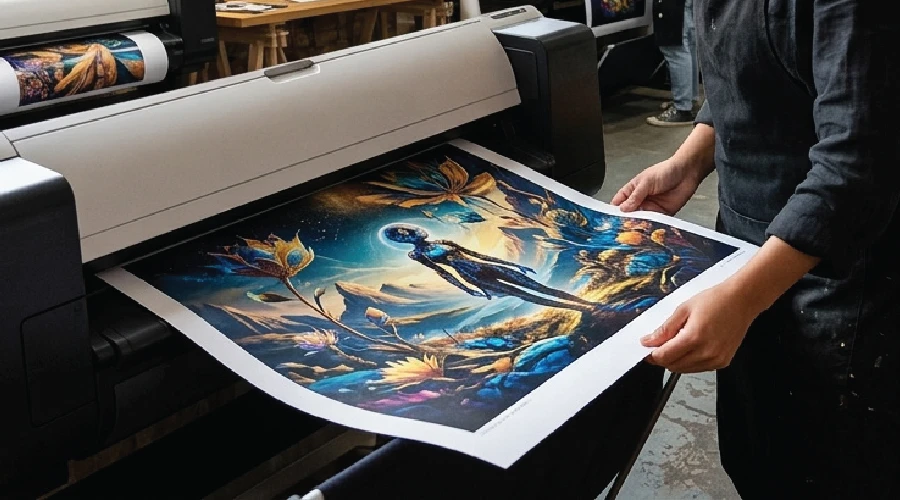
The image that looks fantastic on your laptop screen isn’t always ready for a pull-up banner, catalogue, vehicle graphic or printed brochure. Like many things in life, what works in the digital world doesn’t always translate perfectly into the physical one.
The good news? With a little planning, AI-generated images can work brilliantly in print.
Most AI image generators are designed with digital use in mind. They’re optimised for websites, social media, presentations and screens rather than commercial printing.
That creates a few common challenges.

Think of image resolution like building a billboard from LEGO bricks.
The more bricks you have, the more detail you can create. The fewer bricks you have, the chunkier everything becomes.
Many AI-generated images are produced at relatively low resolutions. While this is often perfectly adequate for digital use, commercial printing typically requires artwork at around 300 DPI at the final printed size. When enlarged for print, those missing “bricks” become noticeable and images can appear soft, pixelated or blurry, particularly on large-format items such as posters, banners and signage.

The bright, vibrant colours you see on screen are created using light. Printing uses ink.
As a result, some colours generated by AI tools can look slightly different once printed. Bright blues, greens and highly saturated colours are often the biggest culprits.
A proper print workflow helps minimise these differences and ensures your finished product looks as close as possible to your original vision.

If you’ve spent much time using AI image generators, you’ve probably noticed the occasional oddity.
Six fingers on a hand. Text that resembles an alien language. Logos that are almost, but not quite, correct.
While AI has improved dramatically, it can still struggle with typography, branding elements and intricate details. These issues are easy to miss on screen but become much more obvious once thousands of brochures have been printed.
This is one of the most common questions businesses ask.
The answer depends largely on which AI platform you’re using.
Most major platforms allow commercial use of images generated through paid subscriptions, but the rules vary. For example:
Adobe Firefly was designed with commercial use in mind and is trained on licensed content, making it one of the safer options for businesses.
OpenAI’s image generation tools generally permit commercial use for paid subscribers.
Midjourney allows commercial use under paid plans, although larger businesses may need higher-tier subscriptions.
Before using AI-generated artwork in advertising, packaging or printed marketing materials, it’s worth reviewing the platform’s terms and conditions.
It’s also important to avoid generating artwork that imitates well-known brands, copyrighted characters or the likeness of real people without permission.
As AI technology continues to evolve, the legal landscape is evolving too, so it’s wise to exercise a little caution.
AI can create some incredibly convincing imagery, but businesses should be careful when using AI-generated images to represent actual products or services.
If the image suggests features, colours or outcomes that you can’t genuinely provide, it could create customer expectations that don’t match reality. For example, an AI-generated product image might show finishes, materials or features that don’t exist in the real product.
AI is fantastic for concepts, illustrations and marketing visuals, but when showcasing real products, accuracy still matters.
The best AI-powered print projects typically combine the creativity of AI with the expertise of a professional designer and printer.
Most AI-generated images are created for digital use rather than print. However, you can request the image be generated in 4k to increase your starting resolution. If your artwork doesn’t have sufficient resolution, consider using an AI upscaling tool before production.
Tools such as Adobe Photoshop’s Generative Upscale features, Topaz Gigapixel AI and a range of online AI upscalers can increase image resolution while preserving detail and sharpness.
While these tools can produce impressive results, they’re not a substitute for starting with a quality source image. The better the original file, the better the final print result.
AI is excellent at creating imagery, but it can still struggle with typography, logos and other fine details. Where possible, add these elements separately using professional design software.
Every print project has different requirements. A brochure, pull-up banner and promotional product all require different file specifications. Your printer can advise on resolution, colour profiles and file setup before production begins.
AI has opened up incredible opportunities for businesses to create marketing content faster than ever before. It can spark ideas, generate concepts and help bring creative visions to life.
But when it comes to print, there’s often a final step required to bridge the gap between a clever prompt and a professional finished product.
If you’ve created artwork using AI and aren’t sure whether it’s ready for print, we’d be happy to help. Bring us your concept and we’ll help transform it into a print-ready file that looks just as impressive on paper as it does on screen.
"*" indicates required fields